'use client';
import { MoreHorizontalIcon, UserPlusIcon } from 'lucide-react';
import { useState } from 'react';
import { Avatar, AvatarFallback, AvatarImage } from '@/components/ui/avatar';
import { Badge } from '@/components/ui/badge';
import { Button } from '@/components/ui/button';
import {
Dialog,
DialogClose,
DialogContent,
DialogDescription,
DialogFooter,
DialogHeader,
DialogTitle,
DialogTrigger,
} from '@/components/ui/dialog';
import {
DropdownMenu,
DropdownMenuContent,
DropdownMenuGroup,
DropdownMenuItem,
DropdownMenuLabel,
DropdownMenuRadioGroup,
DropdownMenuRadioItem,
DropdownMenuSeparator,
DropdownMenuTrigger,
} from '@/components/ui/dropdown-menu';
import { Input } from '@/components/ui/input';
import { Label } from '@/components/ui/label';
import { Progress } from '@/components/ui/progress';
import {
Select,
SelectContent,
SelectItem,
SelectTrigger,
SelectValue,
} from '@/components/ui/select';
import {
Table,
TableBody,
TableCell,
TableHead,
TableHeader,
TableRow,
} from '@/components/ui/table';
import { Tabs, TabsContent, TabsList, TabsTrigger } from '@/components/ui/tabs';
import { Textarea } from '@/components/ui/textarea';
type Role = 'Owner' | 'Admin' | 'Member' | 'Guest';
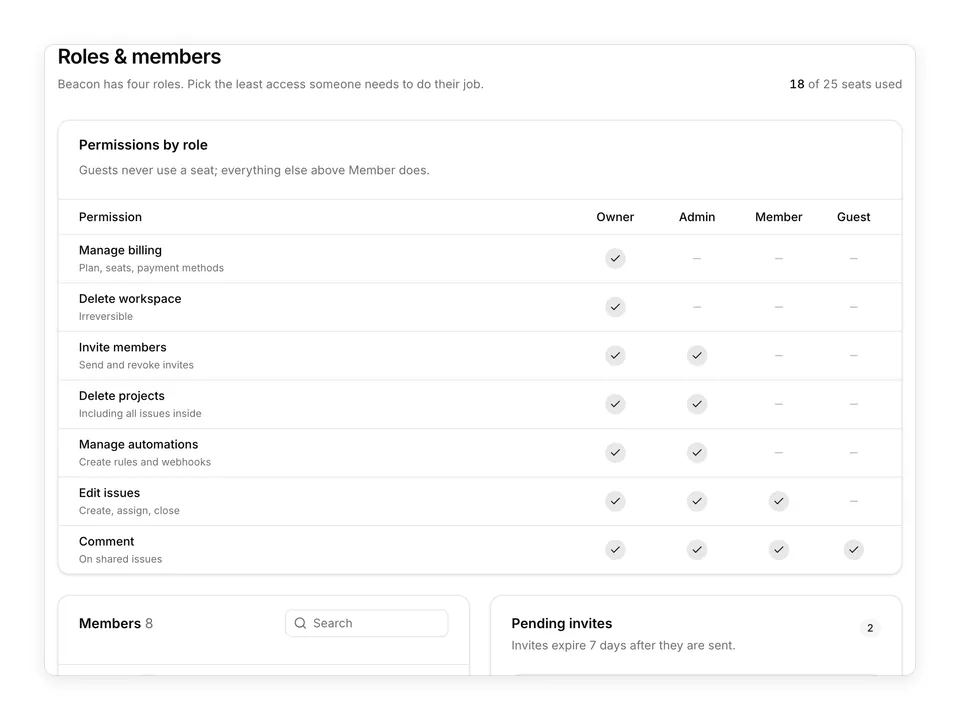
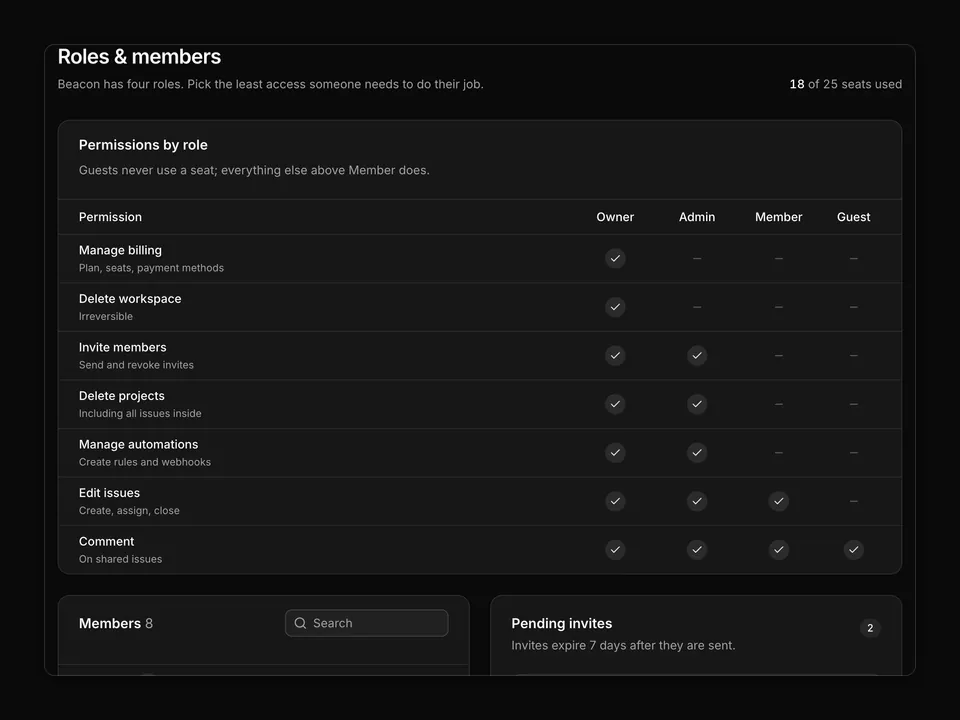
const roles: Role[] = ['Owner', 'Admin', 'Member', 'Guest'];
const roleItems = roles.map((role) => ({ label: role, value: role }));
const initialMembers: {
id: string;
name: string;
email: string;
role: Role;
lastActive: string;
online?: boolean;
}[] = [
{
id: 'maja-lindgren',
name: 'Maja Lindgren',
email: 'maja@auroralabs.io',
role: 'Owner',
lastActive: 'Active now',
online: true,
},
{
id: 'daniel-achterberg',
name: 'Daniel Achterberg',
email: 'daniel@auroralabs.io',
role: 'Admin',
lastActive: '12 minutes ago',
},
{
id: 'priya-raman',
name: 'Priya Raman',
email: 'priya@auroralabs.io',
role: 'Admin',
lastActive: '2 hours ago',
},
{
id: 'oskar-berg',
name: 'Oskar Berg',
email: 'oskar@auroralabs.io',
role: 'Member',
lastActive: 'Yesterday',
},
{
id: 'elin-dahl',
name: 'Elin Dahl',
email: 'elin@auroralabs.io',
role: 'Member',
lastActive: '3 hours ago',
},
{
id: 'noah-fischer',
name: 'Noah Fischer',
email: 'noah@auroralabs.io',
role: 'Member',
lastActive: 'Oct 27, 2026',
},
{
id: 'sara-holm',
name: 'Sara Holm',
email: 'sara.holm@northwind.se',
role: 'Guest',
lastActive: '5 days ago',
},
{
id: 'jonas-rask',
name: 'Jonas Rask',
email: 'jonas@auroralabs.io',
role: 'Member',
lastActive: 'Oct 12, 2026',
},
];
const pending = [
{
email: 'tom@auroralabs.io',
role: 'Member' as Role,
sent: '2 days ago',
expires: 'in 5 days',
expiring: false,
},
{
email: 'lena.k@contractor.io',
role: 'Guest' as Role,
sent: '5 days ago',
expires: 'in 2 days',
expiring: true,
},
];
const initials = (name: string) =>
name
.split(' ')
.map((part) => part[0])
.join('')
.slice(0, 2);
/**
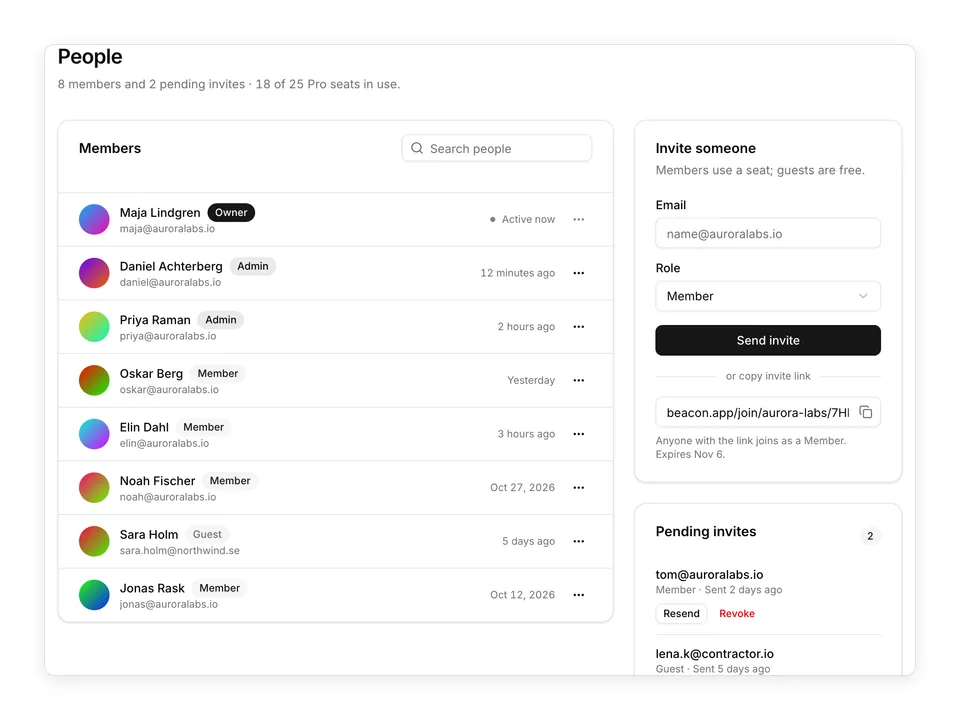
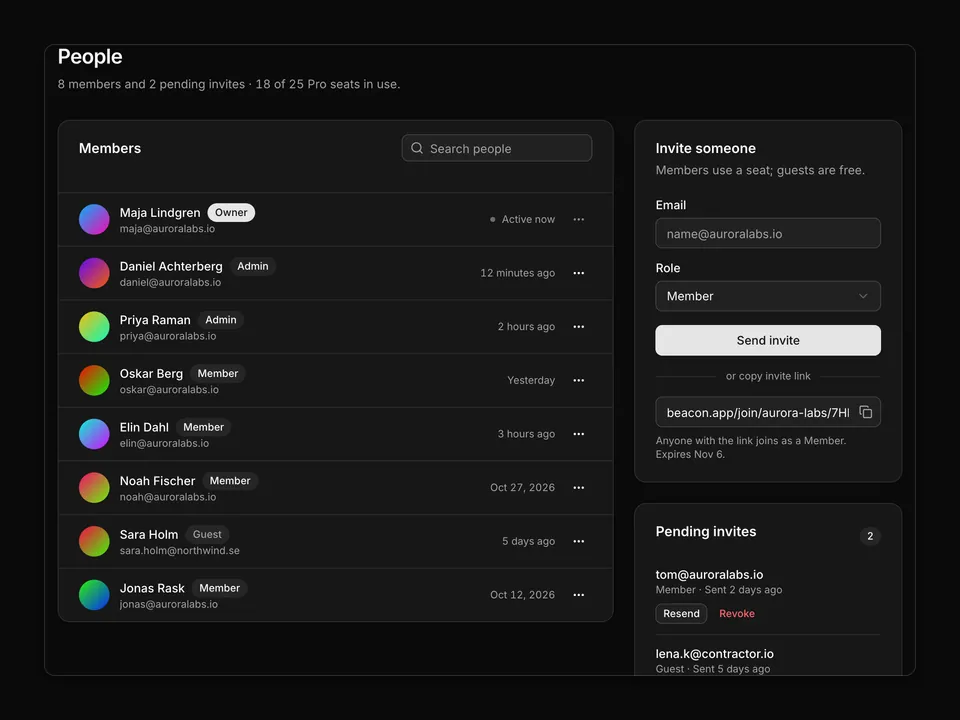
* Team settings page: header with an "Invite member" Dialog, Members/Pending Tabs, a member Table with a per-row role Select and a row DropdownMenu, a pending-invite list with Resend/Revoke and a seat usage line.
*/
export default function TeamMembers01() {
const [members, setMembers] = useState(initialMembers);
const setRole = (id: string, role: Role) =>
setMembers((list) =>
list.map((member) => (member.id === id ? { ...member, role } : member))
);
return (
<div className="w-full max-w-5xl px-4">
<div className="flex flex-col gap-4 sm:flex-row sm:items-start sm:justify-between">
<div className="space-y-1.5">
<h1 className="text-balance font-semibold text-2xl text-foreground tracking-tight">
Team
</h1>
<p className="text-pretty text-muted-foreground text-sm">
Manage who has access to the Aurora Labs workspace and what they
can do.
</p>
</div>
<Dialog defaultOpen={false}>
<DialogTrigger render={<Button type="button" />}>
<UserPlusIcon aria-hidden="true" />
Invite member
</DialogTrigger>
<DialogContent className="sm:max-w-md">
<form
className="space-y-5"
onSubmit={(event) => event.preventDefault()}
>
<DialogHeader>
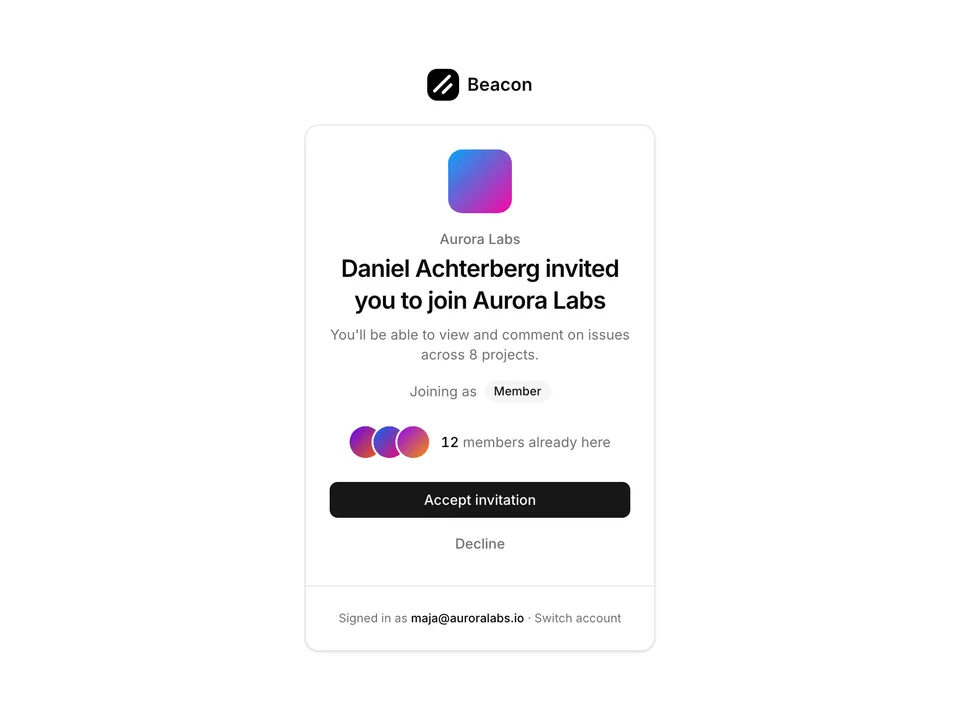
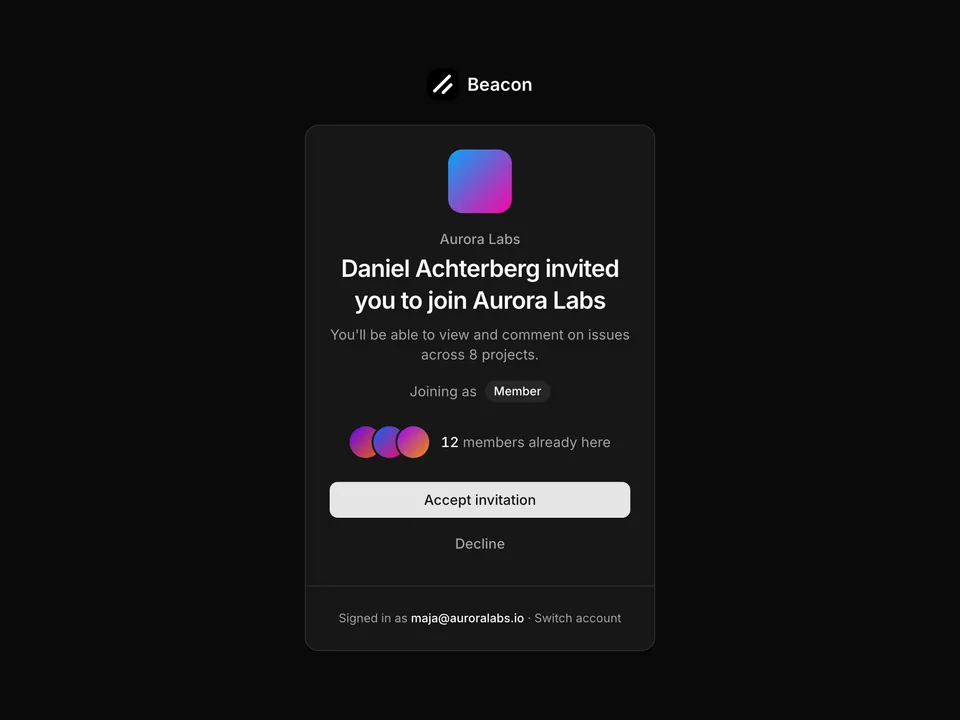
<DialogTitle>Invite to Aurora Labs</DialogTitle>
<DialogDescription>
They will get an email with a link that expires in 7 days.
7 seats remain on the Pro plan.
</DialogDescription>
</DialogHeader>
<div className="grid gap-4">
<div className="grid gap-2">
<Label htmlFor="team01-email">Email</Label>
<Input
autoComplete="off"
id="team01-email"
name="email"
placeholder="colleague@auroralabs.io"
type="email"
/>
</div>
<div className="grid gap-2">
<Label htmlFor="team01-role">Role</Label>
<Select defaultValue="Member" items={roleItems} name="role">
<SelectTrigger className="w-full" id="team01-role">
<SelectValue />
</SelectTrigger>
<SelectContent alignItemWithTrigger={false}>
<SelectItem value="Admin">Admin</SelectItem>
<SelectItem value="Member">Member</SelectItem>
<SelectItem value="Guest">Guest</SelectItem>
</SelectContent>
</Select>
</div>
<div className="grid gap-2">
<Label htmlFor="team01-message">
Message{' '}
<span className="font-normal text-muted-foreground">
(optional)
</span>
</Label>
<Textarea
id="team01-message"
name="message"
placeholder="Hi! Join us on Beacon to follow the Q4 roadmap."
rows={3}
/>
</div>
</div>
<DialogFooter>
<DialogClose render={<Button type="button" variant="outline" />}>
Cancel
</DialogClose>
<Button type="submit">Send invite</Button>
</DialogFooter>
</form>
</DialogContent>
</Dialog>
</div>
<div className="mt-6 flex flex-col gap-2 rounded-lg border bg-muted/40 px-4 py-3 sm:flex-row sm:items-center sm:gap-6">
<p className="text-sm">
<span className="font-medium text-foreground tabular-nums">
18 of 25 seats
</span>{' '}
<span className="text-muted-foreground">
used · guests do not count towards seats
</span>
</p>
<Progress
aria-label="18 of 25 seats used"
className="h-1.5 w-full sm:max-w-48"
value={72}
/>
<a
className="text-primary text-sm hover:underline hover:underline-offset-4 sm:ml-auto"
href="#"
>
Add seats
</a>
</div>
<Tabs className="mt-6 gap-4" defaultValue="members">
<TabsList>
<TabsTrigger className="gap-1.5" value="members">
Members
<span className="text-muted-foreground text-xs tabular-nums">
{members.length}
</span>
</TabsTrigger>
<TabsTrigger className="gap-1.5" value="pending">
Pending
<span className="text-muted-foreground text-xs tabular-nums">
{pending.length}
</span>
</TabsTrigger>
</TabsList>
<TabsContent value="members">
<div className="overflow-hidden rounded-xl border">
<Table>
<TableHeader>
<TableRow className="bg-muted/40 hover:bg-muted/40">
<TableHead className="pl-4">Member</TableHead>
<TableHead>Role</TableHead>
<TableHead>Last active</TableHead>
<TableHead className="w-12 pr-4">
<span className="sr-only">Actions</span>
</TableHead>
</TableRow>
</TableHeader>
<TableBody>
{members.map((member) => (
<TableRow key={member.id}>
<TableCell className="pl-4">
<div className="flex items-center gap-3">
<Avatar>
<AvatarImage
alt=""
src={`https://avatar.vercel.sh/${member.id}`}
/>
<AvatarFallback>{initials(member.name)}</AvatarFallback>
</Avatar>
<div className="min-w-0">
<p className="truncate font-medium text-foreground">
{member.name}
{member.role === 'Owner' ? (
<span className="ml-2 text-muted-foreground text-xs">
You
</span>
) : null}
</p>
<p className="truncate text-muted-foreground text-xs">
{member.email}
</p>
</div>
</div>
</TableCell>
<TableCell>
<Select
disabled={member.role === 'Owner'}
items={roleItems}
onValueChange={(value) => {
if (value) {
setRole(member.id, value as Role);
}
}}
value={member.role}
>
<SelectTrigger
aria-label={`Role for ${member.name}`}
className="w-32"
size="sm"
>
<SelectValue />
</SelectTrigger>
<SelectContent alignItemWithTrigger={false}>
{roles.map((role) => (
<SelectItem
disabled={role === 'Owner'}
key={role}
value={role}
>
{role}
</SelectItem>
))}
</SelectContent>
</Select>
</TableCell>
<TableCell className="text-muted-foreground tabular-nums">
<span className="flex items-center gap-2">
{member.online ? (
<span
aria-hidden="true"
className="size-1.5 animate-pulse rounded-full bg-chart-2"
/>
) : null}
{member.lastActive}
</span>
</TableCell>
<TableCell className="pr-4 text-right">
<DropdownMenu>
<DropdownMenuTrigger
disabled={member.role === 'Owner'}
render={
<Button
aria-label={`Actions for ${member.name}`}
size="icon-sm"
type="button"
variant="ghost"
/>
}
>
<MoreHorizontalIcon aria-hidden="true" />
</DropdownMenuTrigger>
<DropdownMenuContent align="end" className="w-48">
<DropdownMenuGroup>
<DropdownMenuLabel>Change role</DropdownMenuLabel>
<DropdownMenuRadioGroup
onValueChange={(value) =>
setRole(member.id, value as Role)
}
value={member.role}
>
{roles.slice(1).map((role) => (
<DropdownMenuRadioItem key={role} value={role}>
{role}
</DropdownMenuRadioItem>
))}
</DropdownMenuRadioGroup>
</DropdownMenuGroup>
<DropdownMenuSeparator />
<DropdownMenuItem>Transfer ownership</DropdownMenuItem>
<DropdownMenuItem variant="destructive">
Remove from team
</DropdownMenuItem>
</DropdownMenuContent>
</DropdownMenu>
</TableCell>
</TableRow>
))}
</TableBody>
</Table>
</div>
</TabsContent>
<TabsContent value="pending">
<div className="overflow-hidden rounded-xl border">
<ul className="divide-y">
{pending.map((invite) => (
<li
className="flex flex-col gap-3 px-4 py-3 sm:flex-row sm:items-center"
key={invite.email}
>
<Avatar>
<AvatarFallback className="border border-dashed bg-transparent text-xs uppercase">
{invite.email.slice(0, 2)}
</AvatarFallback>
</Avatar>
<div className="min-w-0 flex-1">
<p className="flex flex-wrap items-center gap-2 font-medium text-foreground text-sm">
{invite.email}
<Badge variant="outline">{invite.role}</Badge>
{invite.expiring ? (
<Badge
className="bg-destructive/10 text-destructive"
variant="outline"
>
Expiring soon
</Badge>
) : null}
</p>
<p className="text-muted-foreground text-xs tabular-nums">
Invited {invite.sent} by Maja Lindgren · expires{' '}
{invite.expires}
</p>
</div>
<div className="flex shrink-0 gap-2">
<Button size="sm" type="button" variant="outline">
Resend
</Button>
<Button
className="text-destructive hover:text-destructive"
size="sm"
type="button"
variant="ghost"
>
Revoke
</Button>
</div>
</li>
))}
</ul>
</div>
<p className="mt-3 text-muted-foreground text-xs">
Invites expire after 7 days. Accepted Member invites take one seat.
</p>
</TabsContent>
</Tabs>
</div>
);
}